I'd been working on a few things for an anniversary and wanted to put our photos into an album. I first looked for an existing project I could use. I found quite a few wedding sites, but nothing that quite fit. I wanted to record everyday life too, keep adding to it, and look back a few years later. After looking around, I started building it around what I needed, a little at a time.
I'd also been to a friend's wedding where they put together something that felt a bit like a museum. It stayed with me. When I started this site, I wanted some of that experience too: somewhere you could wander through, look at the photos, and read the stories behind them.
Then I started working out the requirements. The photos were a given, but I also wanted to keep the dates, places, and what happened. Ordering everything by time might not be enough. Sometimes you want to look back at a particular year; sometimes it's a place that comes to mind. And some things haven't happened yet, but you've talked about doing them together someday. Those needs gradually became the album, relationship timeline, yearly reviews, place map, and a wish list called "Someday, Together."
I've now turned it into an Astro template you can copy, modify, and deploy, released under the MIT license. You can start with the live demo; the screenshots below come from that site too. It uses fictional people and original abstract illustrations. Replace those with your own photos and stories when you use it.
How the memories fit into a site
One thing to work out first is how to record a memory and connect it to the other content. Each memory now has a date, titles and descriptions in Chinese and English, a photo, and optional links to places. The same memory appears in the album and can also be found through the map, timeline, or yearly reviews. There's only one copy of the photo and basic information, which means fewer places to edit later.
The homepage and album
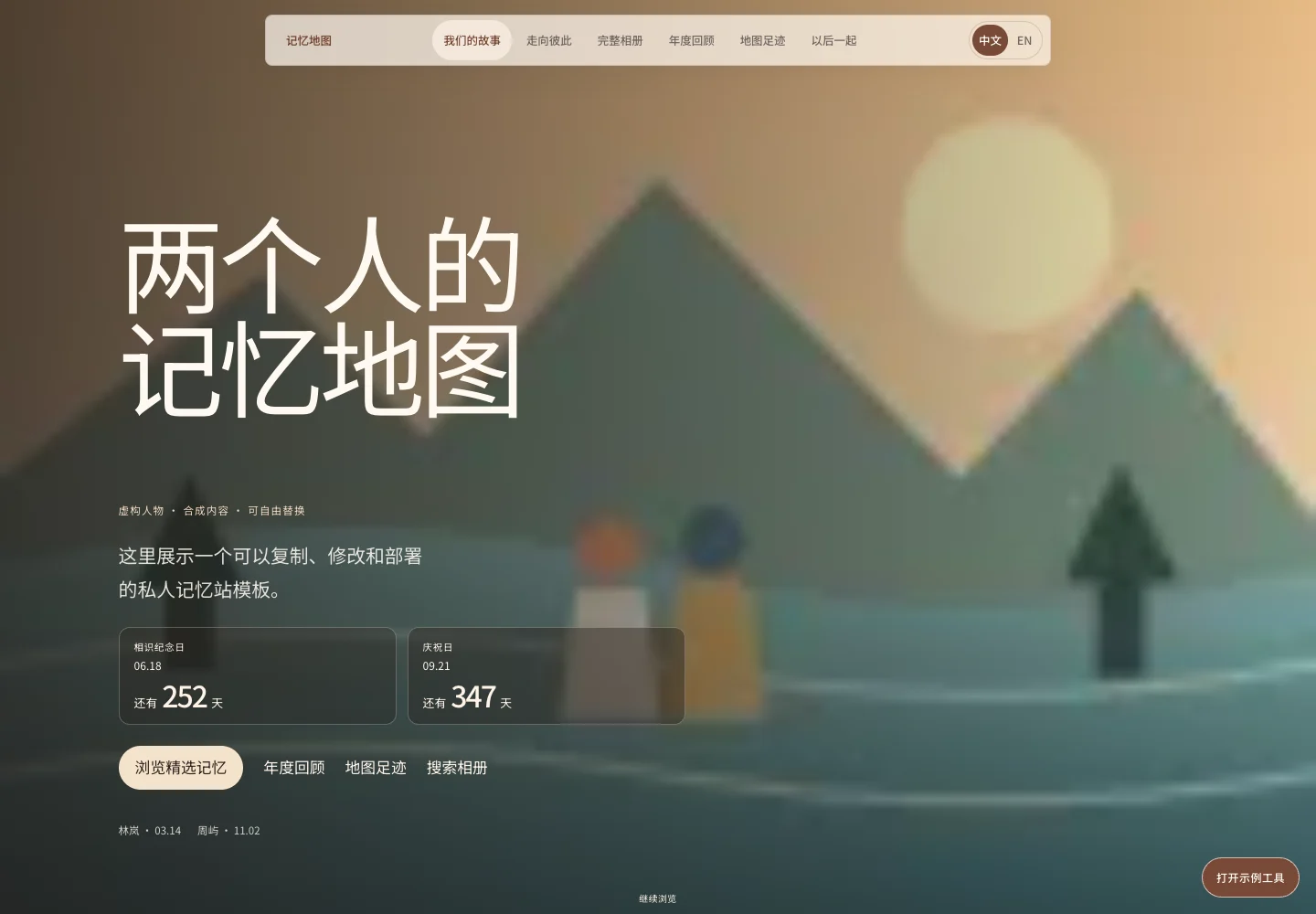
The homepage starts with a few selected memories. In the demo, they're a riverside walk, a spring picnic, and a small celebration. You can choose your own when you replace the content. Scroll down to continue into the album.
Anniversaries and birthdays are on the homepage too. Anniversary cards show a countdown. "Revisit this memory" opens the anniversary details and the titles of up to three memories with matching dates. The birthday buttons open a greeting.
The album lets you search by title or place and filter by year. If you just want to browse, switch to the page-turning view. Open a photo and its date, description, and place stay beside it, so you can read what was happening at the time.
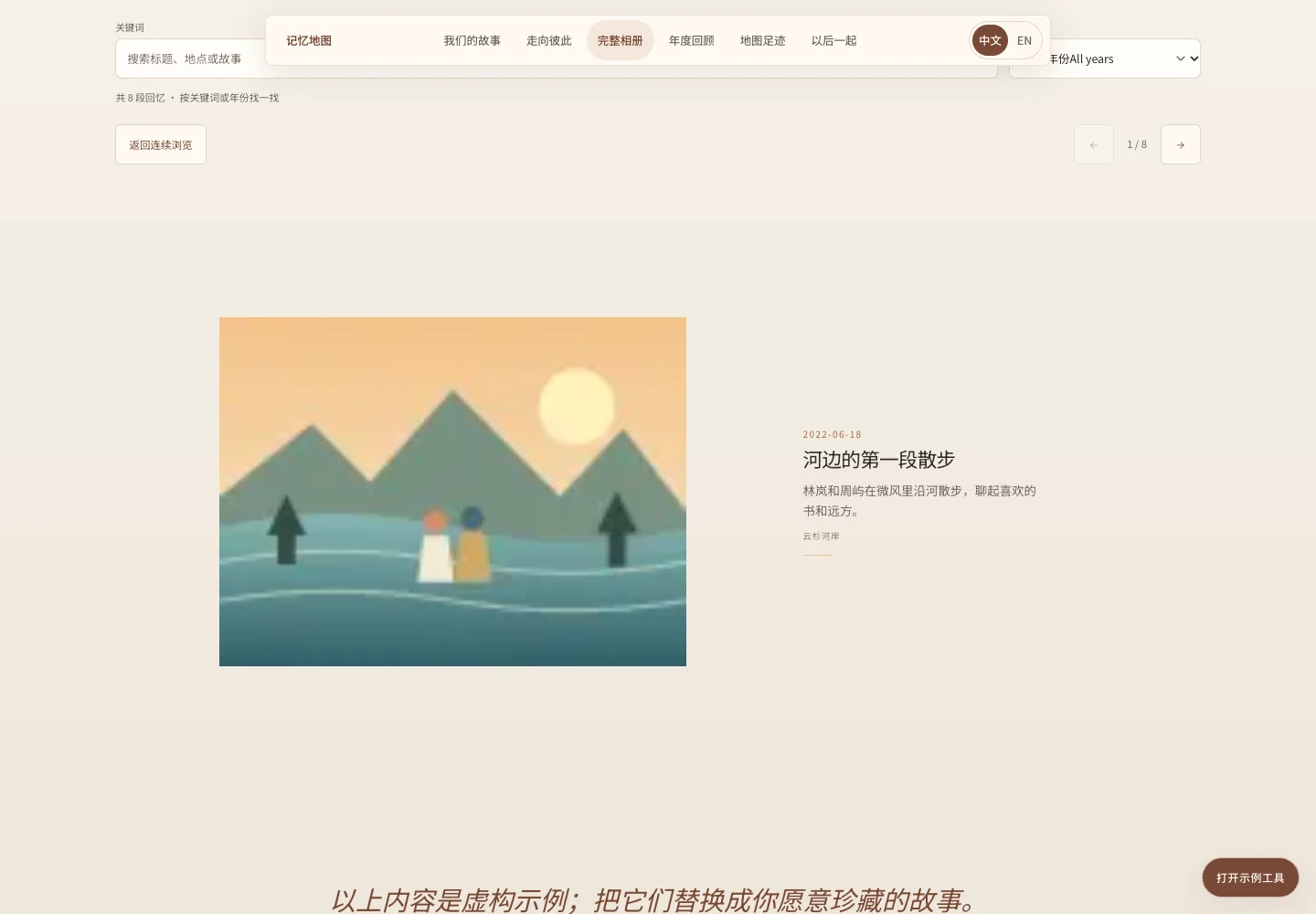
In this view, the photo and its record share a page.
The timeline and yearly reviews
The relationship timeline has two lines for the stages each person has been through, then adds meeting, living together, places lived, and memories from the corresponding years. Years without records are collapsed; expand them to see the full span. That also avoids having to invent content just to fill every year. The demo's people and experiences are fictional. You can replace the stages with your own; you don't have to follow its "two people meet" structure.
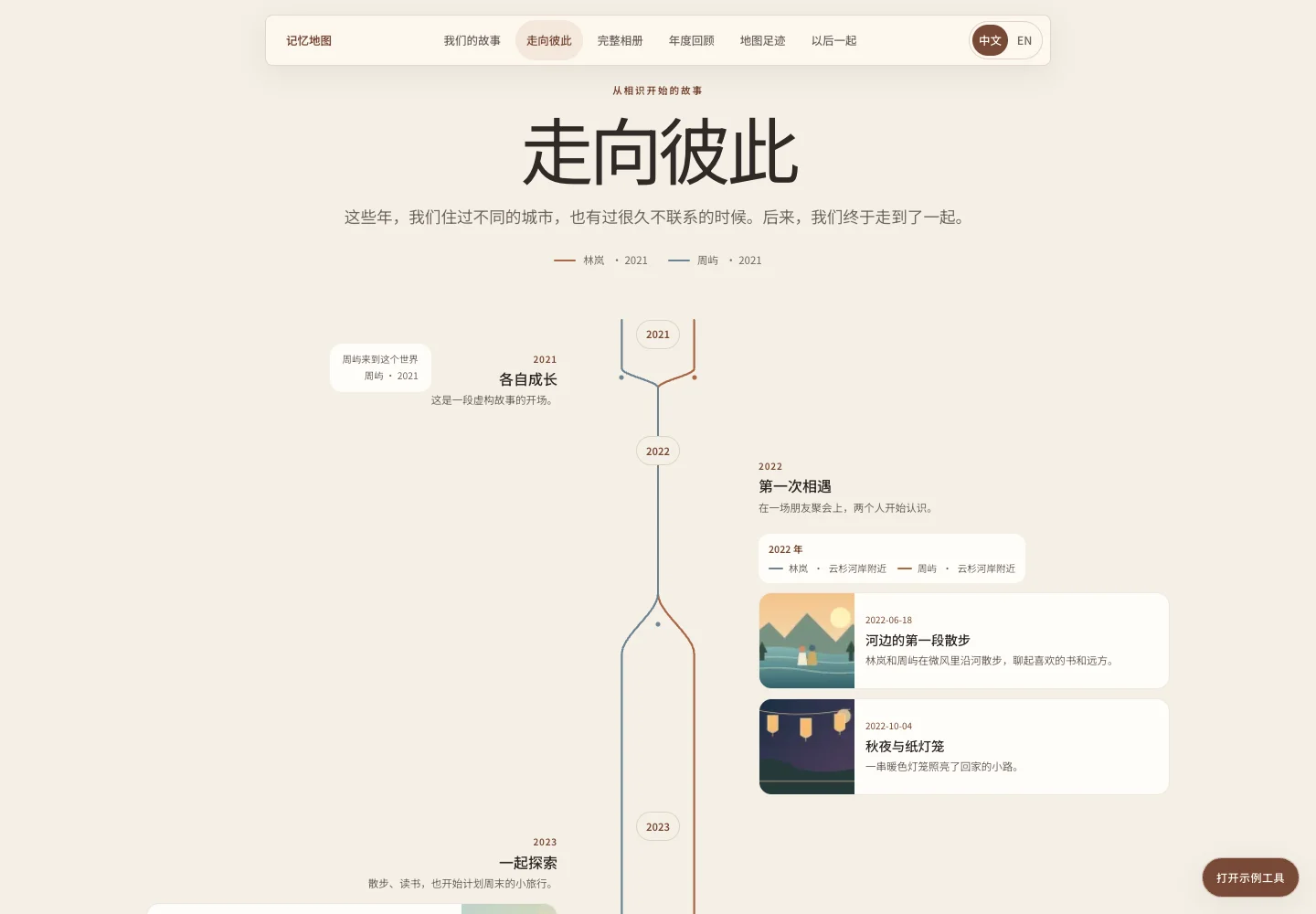
The timeline connects each person's experiences with their shared memories.
For a yearly review, you can give the year a theme and choose a few memories you especially want to keep, followed by the rest of that year's records. The selections can have their own titles and descriptions, while using the original photos. Click a card to return to the album. You choose which memories belong in the yearly selections or on the timeline; dates alone don't make those decisions.
The place map and "Someday, Together"
The map lets you find memories by place. Choose a location to see the related photos and text, or keep looking by date. It shows approximate locations and isn't a navigation tool. Later, familiar places could hide a small surprise, such as a drawing that appears when you open a marker. These Easter eggs are still ideas.
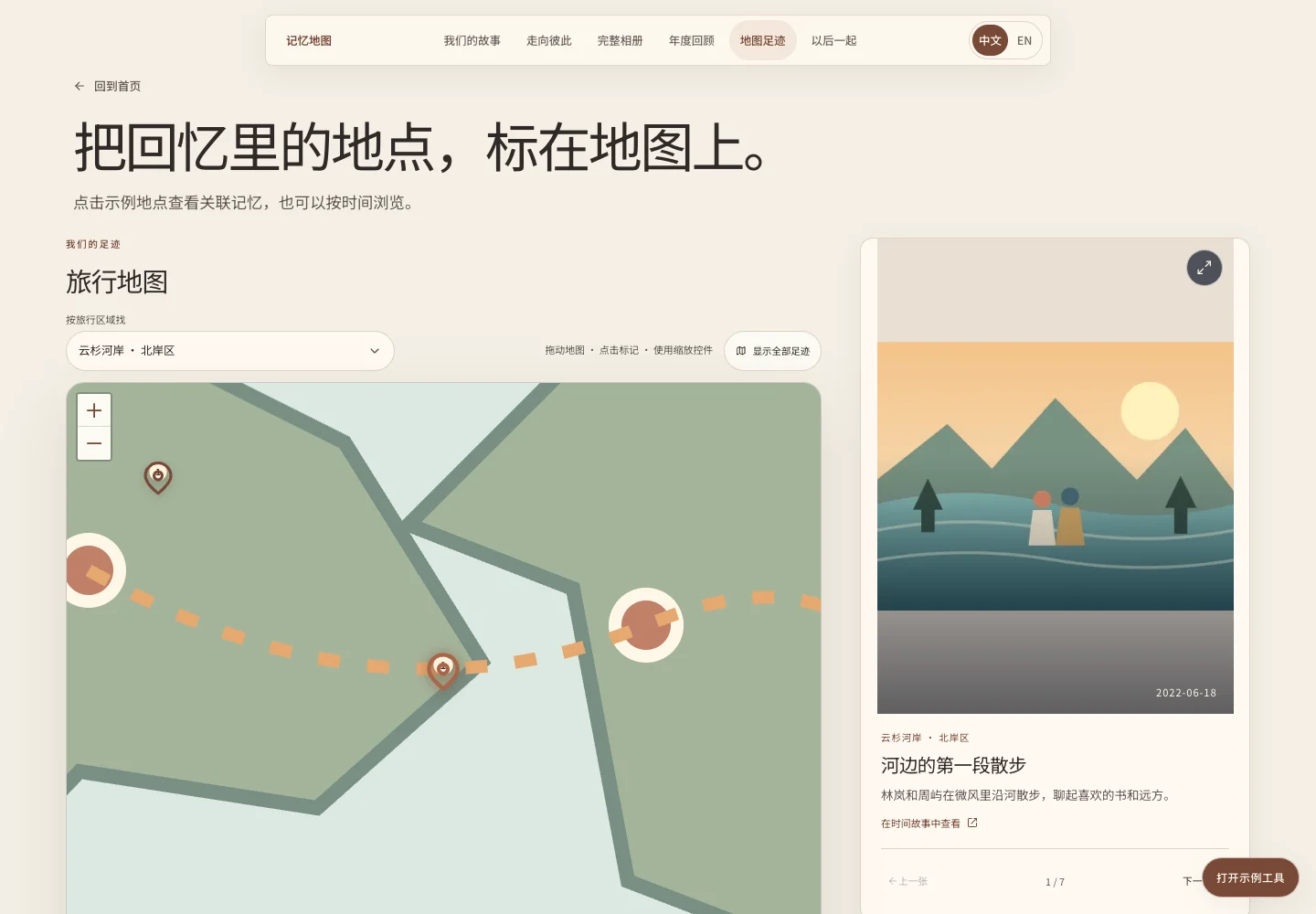
You can also find the same memories by where they happened.
"Someday, Together" is for things that haven't happened yet: places to go, things to do, and the kind of days you'd like to have. There are no deadlines or progress bars. For now, it's enough to write the wishes down. They're currently separate from the memories of things that have happened, but the two could be connected later. Once a wish comes true, adding a date, photos, and a place could turn it into a memory that also appears in the album, map, and yearly review.
Maintaining the content
For simply storing photos, a cloud album would be easier. I built a site because I wanted to put these records together in my own way and keep changing it later. The project uses Astro to generate static pages, without a database or a server that needs to stay running. It also includes a GitHub Pages publishing workflow. Deployment is fairly straightforward once the repository is configured.
There's no visual editor at the moment; you edit the content in the repository files. Memories live in src/data/memories.js, each with a stable id. Places, yearly reviews, the timeline, and wishes have their own files under src/data/. Interface copy in Chinese and English lives in src/i18n/copy.js. The site name, time zone, anniversaries, birthdays, and deployment path are in src/config/site.js.
The template supports Chinese and English, so memories, places, reviews, and wishes need copy in both languages. You can switch languages at the top of the page. The choice is saved in the current browser, and new visitors see Chinese by default.
You might not happen to visit on the right day to see the anniversary and birthday effects, so I left in a debug panel. Change the simulated date to preview them, or jump directly to the album and map. Once your own content is ready, you can turn the panel off in the configuration.
The example images are in src/assets/images/demo/. When replacing a photo, update its path and alternative text in the memory record too. The illustrated map and Leaflet files are also in the repository; the page doesn't request online map tiles or external fonts.
Using AI to help organize things
With only a little content, editing a few files yourself is fine. Adding a memory sounds like adding a photo and a few sentences, but it may also need a place link, an entry in a yearly review or on the timeline, and bilingual copy and photo descriptions. Once there's more content, all these small edits get a bit tedious.
I think AI can help maintain this kind of project. You can give a coding assistant the material and what you have in mind, then ask it to follow the project's existing format, draft the Chinese and English copy, and edit the files directly. Afterward, read the diff to see what it changed and check the dates, places, and references. If you delete a memory, check whether other pages still reference that id too.
But I still need to decide what's worth recording, which memories I want in the yearly review, and how to write the timeline so it feels like our own experience. Making those decisions first makes it much easier to ask AI to edit the files. The site doesn't have built-in AI; I'm talking about maintaining the repository with a coding assistant.
Checks and public content
After editing the content, you can run these two commands:
npm run validate
npm run audit:public
Data validation checks dates, duplicate ids, place and memory references, and missing Chinese or English copy. The public-content audit looks for private information in the repository. You still need to check whether a story is accurate and whether a photo can be made public.
The names, dates, places, and experiences in the open-source demo are fictional, and the images have been replaced with original abstract illustrations. The template has no login or access control. Content can be accessed once the site is publicly deployed, so you need to decide what belongs there.
Later, it could be worth trying a voice recording in a memory or photos from different years side by side on an anniversary. But I don't think this site needs to be opened over and over. Remember it's there, add a few fragments of memory when they come to mind, and that's enough. The days add up little by little, with all their details and warmth. For me, the shared memories matter most.